Unlock the feature flag by creating and persisting the superset_config.py in Apache Superset
Apache Superset is a powerful data exploration platform, and configuring it properly is key to unlocking its full potential. Superset comes with many features by default, but not all are enabled out of the box. Today, I’ll walk you through the process of unlocking hidden Superset features by creating and persisting a custom configuration file.
If you've installed Superset via pip or followed my guide Install Apache Superset on Ubuntu without Docker, the default configuration is located here:
env/lib/python3.10/site-packages/superset/config.py
⚠️ Note: You should not modify this file directly, as it’s part of the package. Instead, we’ll create a new configuration file in your virtual environment directory.
superset_config.py?superset_config.py is an optional file where you can override and customize Superset's default settings. With this file, you can:
By default, Superset only uses the internal config unless you explicitly tell it to load a custom one.
We'll complete the setup in four simple steps:
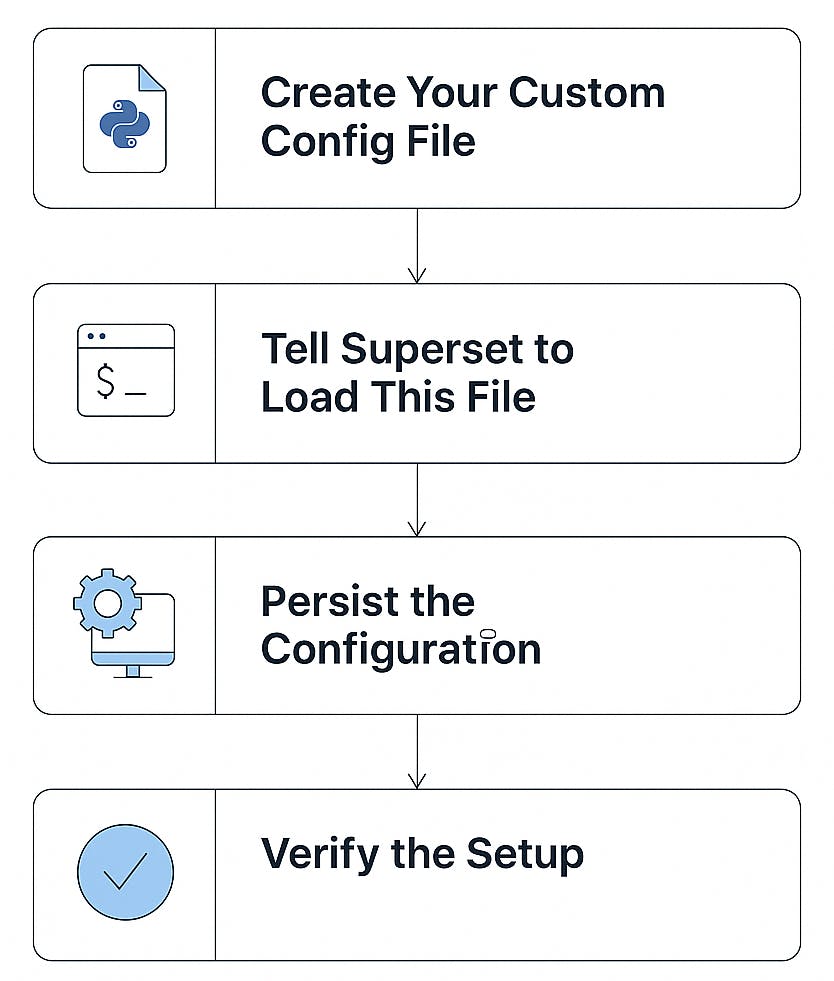
Inside your Superset virtual environment or project directory, run:
touch superset_config.py

Then open it and add your custom settings. Example:
# superset_config.py

FEATURE_FLAGS = {
    "THUMBNAILS": True,
    "ENABLE_IMPORT_EXPORT": True,
    "HORIZONTAL_FILTER_BAR": True,
    "ENABLE_ECHARTS_FILTER_CONTROL": True
}

DEBUG = True
APP_NAME = "Superset Custom"
📝 Note: Creating this file alone won’t activate the settings. You need to tell Superset to load it.
Superset only reads superset_config.py if the folder containing it is in the PYTHONPATH environment variable.
To test it temporarily:
export PYTHONPATH=/full/path/to/your/config
superset run
This works for one session. To make it persistent, move to step 3.
PYTHONPATH (Virtualenv Friendly)To make Superset always load your config when the environment is activated:
nano env/bin/activate
At the bottom of the file, add:
# Load custom Superset config
export PYTHONPATH="/path to your config"
Example:
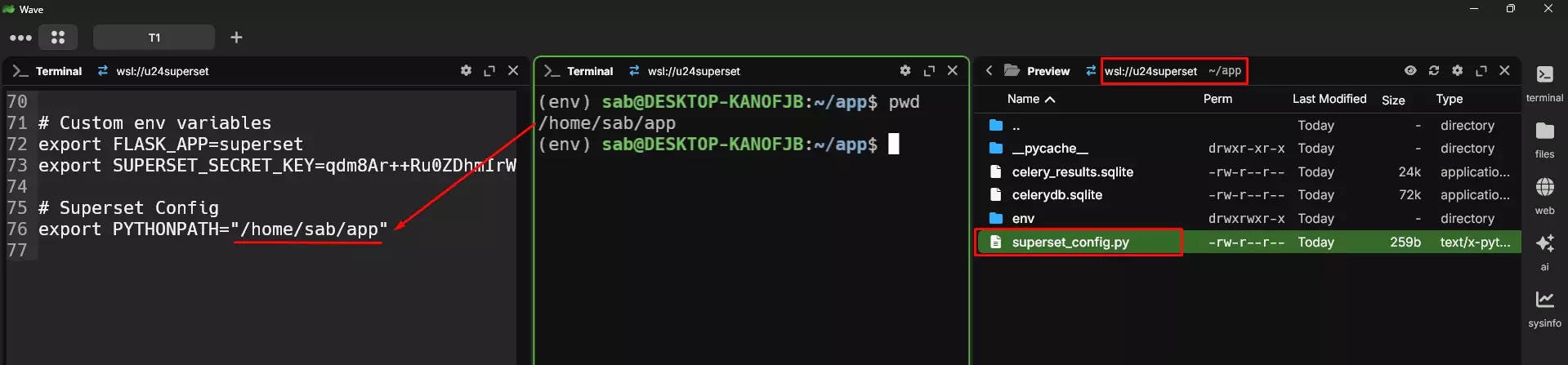
Now, whenever you run:
source env/bin/activate
Superset will automatically detect your custom config.
To confirm it’s loading:
Add a print line in your superset_config.py:
print(">>> Custom Superset Config Loaded <<<")
Reactivate the environment and run Superset:
source env/bin/activate
superset run
You should see the print message in the terminal.
You can further enhance Superset with these options:
ROW_LIMIT = 10000
SQLLAB_ASYNC_TIME_LIMIT_SEC = 60
ENABLE_JAVASCRIPT_CONTROLS = True
Explore the full range of configuration options in Superset's official documentation.

Stuck with SQLite errors in Superset? Learn why your metadata DB is locked and how to fix it permanently by migrating to PostgreSQL.
Learn how to connect a Google Sheet as a data source in Apache Superset. This step-by-step guide shows you how to create charts and dashboards

Unlock advanced features in Apache Superset. Learn to set Feature Flags, customise themes, and apply config changes in your Docker setup