Frappe API Rate Limiting, Pagination & Error Handling: Production Best Practices

A script that pulls /api/resource/Sales Invoice runs perfectly 🧪 against your staging site's 200 test records. Three weeks later, in production, it times out and silently returns half the data it should — not a bug, just missing pagination, no rate-limit awareness, and error handling that only ever expected the happy path.
If you've already got a working Frappe REST integration using basic GET/POST calls and API key auth, or you've written your own @frappe.whitelist() endpoints, this post picks up exactly where those leave off 🚀 — hardening what you've built for real traffic and real data volume.
/api/resource/ result sets instead of pulling everything at oncefilters queries and trim payloads with the fields paramsite_config.jsonfrappe.throw() and custom exceptions429/Retry-After, retries transient failures, and avoids duplicate writes@frappe.whitelist() methodbench and site_config.json on the site you're hardening"It works on my machine" 💻 API calls almost always share three silent assumptions: the result set is small, the request will always succeed, and the caller controls the pace. Production breaks all three at once.
An unbounded list call against a table with 500,000 rows doesn't just get slower — depending on Frappe version and query it can hit a default cap, time out, or blow through available memory on the site's workers. 🐘
No backoff means a flaky network blip turns into a thundering herd 🌊 of retries hitting the same endpoint simultaneously, which is exactly the kind of load pattern that trips a rate limiter or takes down a worker.
And silent failures — a script that catches an exception and moves on — are the quiet killer 🤫: no data was written, nobody noticed, and it surfaces three weeks later as "why is this record missing?"
Everything below is about closing those three gaps deliberately ✅, not accidentally discovering them in an incident.

Every GET /api/resource/<doctype> call accepts limit_start and limit_page_length (also just called limit in some client libraries) to control pagination.
curl -X GET \
  "https://yourdomain.com/api/resource/Sales Invoice?limit_start=0&limit_page_length=100" \
  -H "Authorization: token <api_key>:<api_secret>"
limit_start is the offset (0-indexed), and limit_page_length caps how many rows come back in that page — 📌 Frappe defaults to 20 if you omit it entirely, which is easy to miss until a script quietly only ever sees the first 20 rows.
⚠️ Common Mistake: Assuming an unpaginated call to
/api/resource/returns "everything." It never does by design — treat the absence of an explicit limit as an implicit, undocumented cap, not a guarantee of completeness.
To walk through an entire table in a script, loop and increment limit_start until a page comes back shorter than the requested length:
import requests

BASE = "https://yourdomain.com/api/resource/Sales Invoice"
HEADERS = {"Authorization": "token <api_key>:<api_secret>"}
PAGE_SIZE = 100

def fetch_all_invoices():
    all_rows = []
    start = 0
    while True:
        resp = requests.get(
            BASE,
            headers=HEADERS,
            params={"limit_start": start, "limit_page_length": PAGE_SIZE},
        )
        resp.raise_for_status()
        page = resp.json()["data"]
        all_rows.extend(page)
        if len(page) < PAGE_SIZE:
            break
        start += PAGE_SIZE
    return all_rows
💡 Pro Tip: Stopping the loop when
len(page) < PAGE_SIZEis more reliable than trying to pre-compute total pages from a count endpoint — record counts can change mid-crawl under real traffic.
The filters param takes a JSON-encoded list of conditions, each shaped as ["field", "operator", "value"], and supports the usual comparison operators plus in, not in, and like.
curl -G "https://yourdomain.com/api/resource/Sales Invoice" \
  -H "Authorization: token <api_key>:<api_secret>" \
  --data-urlencode 'filters=[["status","=","Overdue"],["grand_total",">",1000]]' \
  --data-urlencode 'fields=["name","customer","grand_total","due_date"]' \
  --data-urlencode "limit_page_length=50"
Multiple conditions in the list are combined with AND by default; for in/not in the value is a list, and like uses SQL-style % wildcards:
--data-urlencode 'filters=[["status","in",["Overdue","Unpaid"]],["customer","like","Acme%"]]'
🎯 The separate fields param matters just as much as filters — without it, Frappe returns every field on the DocType, including large text and child-table fields you almost certainly don't need for a list view.
⚠️ Common Mistake: Fetching full documents just to read three fields. On a DocType with several child tables, that's a much heavier query and a much larger response than the integration actually requires — always pass
fieldsexplicitly for list calls.
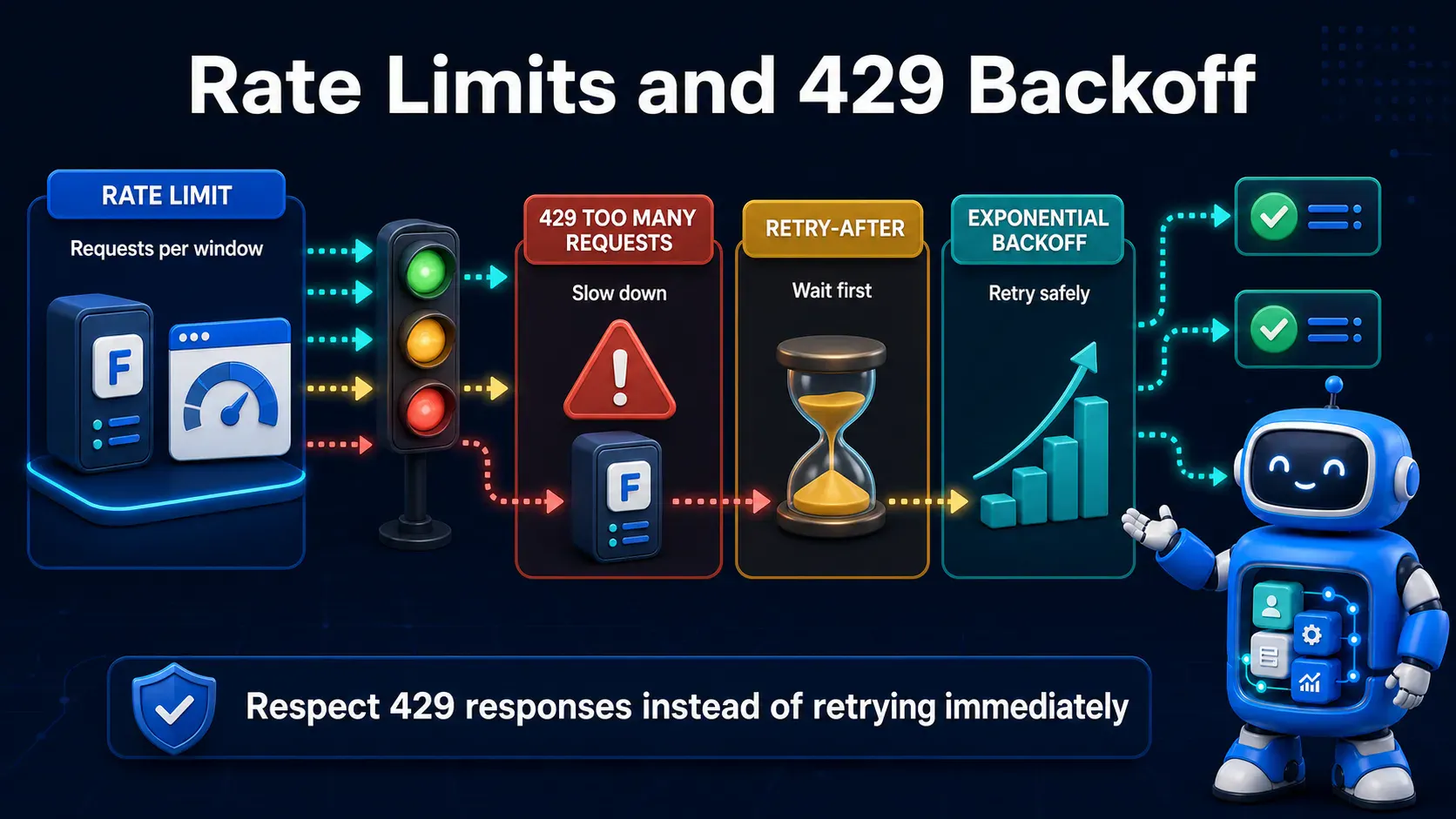
Frappe can enforce request-rate limits per site through site_config.json, gating how many requests a given window will allow before returning 🚦 429 Too Many Requests.
{
  "rate_limit": {
    "window": 60,
    "limit": 100
  }
}
This example allows up to 100 requests per 60-second window (the exact enforcement scope — per IP, per API user, or per site depending on your Frappe version and any reverse-proxy-level limiting layered on top) before subsequent requests in that window are rejected.
bench --site yourdomain.com set-config rate_limit '{"window": 60, "limit": 100}'
💡 Pro Tip: If you're behind Nginx or a CDN, consider layering rate limiting at the proxy level too (e.g.
limit_reqin Nginx) — it's cheaper to reject abusive traffic before it ever reaches a Frappe worker process.
Once configured, a client that exceeds the limit gets back a 429 status — how your client reacts to that is just as important as the config itself, which is what Step 4 covers.
429 Like a Well-Behaved ClientA response with status 429 should almost always include a Retry-After header telling the client how long to wait before trying again — respect it rather than guessing.
import time
import requests

def request_with_backoff(method, url, max_retries=5, **kwargs):
    for attempt in range(max_retries):
        resp = requests.request(method, url, **kwargs)
        if resp.status_code != 429:
            return resp
        wait = int(resp.headers.get("Retry-After", 2 ** attempt))
        time.sleep(wait)
    resp.raise_for_status()
    return resp
When Retry-After isn't present, fall back to exponential backoff ⏳ — doubling the wait on each attempt — rather than retrying immediately in a tight loop.
⚠️ Common Mistake: Catching a
429, sleeping a fixed one second, and retrying immediately in awhile Trueloop. Under sustained load this just re-triggers the same limit on every attempt and can make the underlying congestion worse, not better.
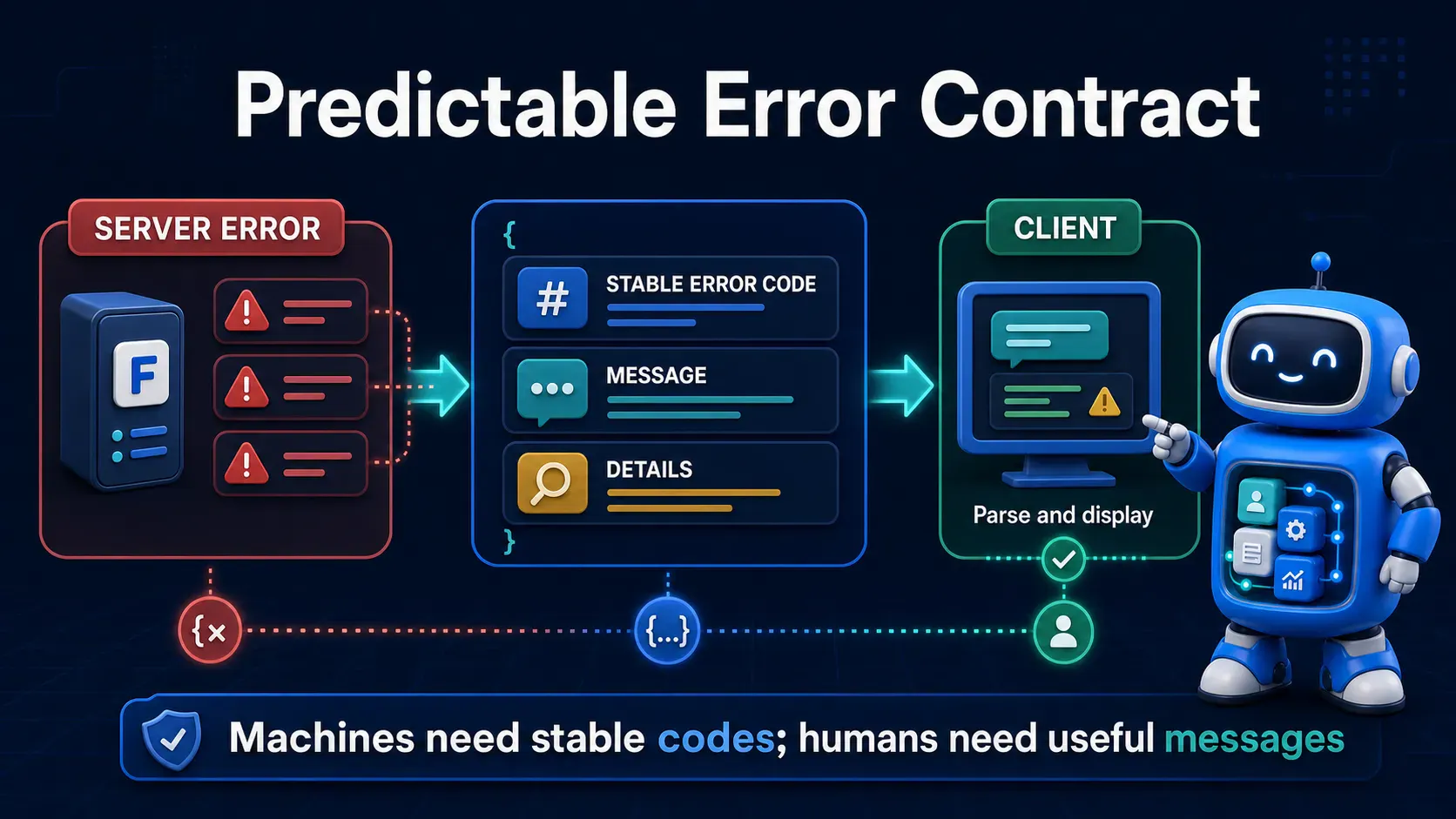
frappe.throw() is the standard way to abort a whitelisted method with a client-facing error, and passing a custom exception class gives API consumers a stable, parseable error 🏷️ type to branch on instead of matching error strings.
import frappe

class InsufficientStockError(frappe.ValidationError):
    pass

@frappe.whitelist()
def reserve_stock(item_code, qty):
    available = get_available_qty(item_code)
    if available < qty:
        frappe.throw(
            f"Only {available} units of {item_code} available",
            exc=InsufficientStockError,
        )
    # ... reservation logic
You can also set the HTTP status code explicitly through frappe.local.response, which matters because Frappe's default for most thrown errors is 417, not always the code an external API consumer expects:
import frappe

@frappe.whitelist()
def get_invoice(invoice_id):
    invoice = frappe.db.exists("Sales Invoice", invoice_id)
    if not invoice:
        frappe.local.response.http_status_code = 404
        frappe.throw(f"Invoice {invoice_id} not found", exc=frappe.DoesNotExistError)
    return frappe.get_doc("Sales Invoice", invoice_id)
💡 Pro Tip: Standardize on a small set of custom exception classes across your custom app (
NotFoundError,ValidationError,PermissionError-style subclasses) rather than throwing barefrappe.ValidationErroreverywhere — it turnsexc_typeon the client into a genuinely useful dispatch key.
🧾 Frappe's error responses already carry structure worth relying on rather than fighting — the JSON body typically includes an exc_type, an exception message, and _server_messages (a JSON-encoded list of user-facing messages set via frappe.msgprint/frappe.throw).
{
  "exc_type": "InsufficientStockError",
  "exception": "InsufficientStockError: Only 3 units of ITEM-001 available",
  "_server_messages": "[\"{\\\"message\\\": \\\"Only 3 units of ITEM-001 available\\\", \\\"indicator\\\": \\\"red\\\"}\"]"
}
If your custom endpoints return additional structured error data (validation field names, error codes for a frontend to map to UI copy), attach it through frappe.local.response rather than embedding it only in the message string:
frappe.local.response.http_status_code = 422
frappe.local.response["error_code"] = "STOCK_INSUFFICIENT"
frappe.throw("Only 3 units available", exc=InsufficientStockError)
⚠️ Common Mistake: Returning
200 OKwith an error described only in the response body. Plenty of HTTP clients, monitoring tools, and API gateways make routing and alerting decisions off the status code alone — a200on failure hides the problem from all of them.
A client that only checks resp.ok is throwing away the exact information Frappe went to the trouble of structuring. Parse exc_type and _server_messages to get a real reason, not just a boolean.
import json
import requests

def call_frappe(method, url, **kwargs):
    resp = requests.request(method, url, **kwargs)
    if resp.ok:
        return resp.json()

    try:
        body = resp.json()
        exc_type = body.get("exc_type", "UnknownError")
        messages = json.loads(body.get("_server_messages", "[]"))
        reason = messages[0] if messages else body.get("exception", "")
    except (ValueError, json.JSONDecodeError):
        exc_type, reason = "UnknownError", resp.text

    raise RuntimeError(f"{exc_type}: {reason}") from None
The status code still tells you how to react, independent of the message content: 🔄 retry on 429 and 5xx, but fail fast and surface the error immediately on 4xx — a 400/404/422 won't fix itself on a retry.
def is_transient(status_code):
    return status_code == 429 or 500 <= status_code < 600
⚠️ Common Mistake: Wrapping every API call in a blanket retry loop regardless of status code. Retrying a
404or a validation failure five times just burns your rate-limit budget on a request that will never succeed.
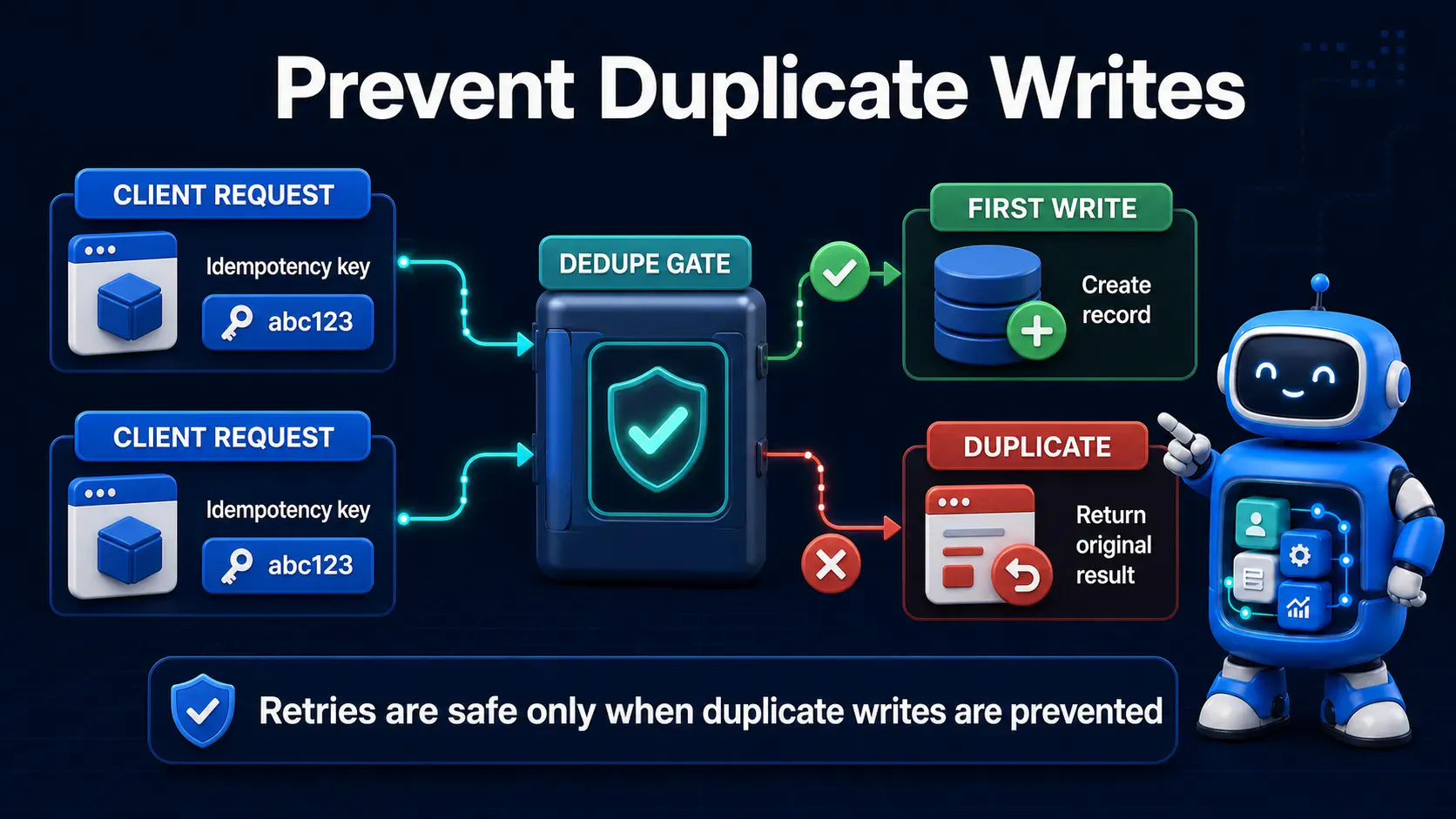
Frappe has no built-in idempotency-key mechanism, so this is a recommended custom pattern, not a framework feature — but it's the difference between a safe retry and a duplicate record when a POST times out after the server already committed it.
Add a unique field (e.g. client_request_id) to the DocType you're creating via API, and check for it before inserting:
import frappe

@frappe.whitelist()
def create_order(customer, items, client_request_id):
    existing = frappe.db.exists("Sales Order", {"client_request_id": client_request_id})
    if existing:
        return frappe.get_doc("Sales Order", existing)

    doc = frappe.get_doc({
        "doctype": "Sales Order",
        "customer": customer,
        "items": items,
        "client_request_id": client_request_id,
    })
    doc.insert()
    return doc
🔑 The client generates a UUID once per logical operation and reuses it across retries of that same operation — never a fresh UUID per retry attempt, which defeats the entire point.
import uuid
request_id = str(uuid.uuid4())

for attempt in range(3):
    resp = call_frappe("POST", url, json={"customer": "Acme", "items": items,
                                            "client_request_id": request_id})
    if resp:
        break
💡 Pro Tip: Add a unique database index on
client_request_idso a race between two near-simultaneous retries still can't slip two rows past the check-then-insert logic.
When an API call fails and the client-side error isn't enough context, Frappe's own error log and site logs are the next stop.
bench --site yourdomain.com logs
The Error Log DocType inside the Frappe desk (searchable in the UI) captures unhandled exceptions from whitelisted methods with full tracebacks, which is usually faster to search than raw log files for a specific failure.
Inside custom whitelisted methods, prefer structured logging over ad-hoc print() calls, so failures are searchable by field rather than by eyeballing text:
import frappe

@frappe.whitelist()
def sync_external_order(order_id):
    try:
        # ... integration logic
        pass
    except Exception:
        frappe.log_error(
            title="External order sync failed",
            message=frappe.get_traceback(),
        )
        raise
📝 frappe.log_error() writes into the same Error Log the framework already uses internally, so custom failures show up right alongside built-in ones instead of in a separate, easy-to-forget place.
limit_page_length doesn't error — it just quietly returns Frappe's default page size, which looks like "the API only has 20 records" until you noticefilters as a plain string instead of JSON: the param must be JSON-encoded (a stringified list), not a Python dict repr or comma-separated string — a malformed filter often just returns zero rows rather than an errorrate_limit in site_config.json and actually trigger a 429 in staging before assuming your client's backoff code worksclient_request_id-style guard, a timed-out-but-actually-succeeded POST retried automatically creates a duplicate record403 permission error will still be a 403 on retry ten — check the status code before looping_server_messages parsing: the raw exception string is often less useful than the structured message list — parse both before deciding a response is "unhelpful"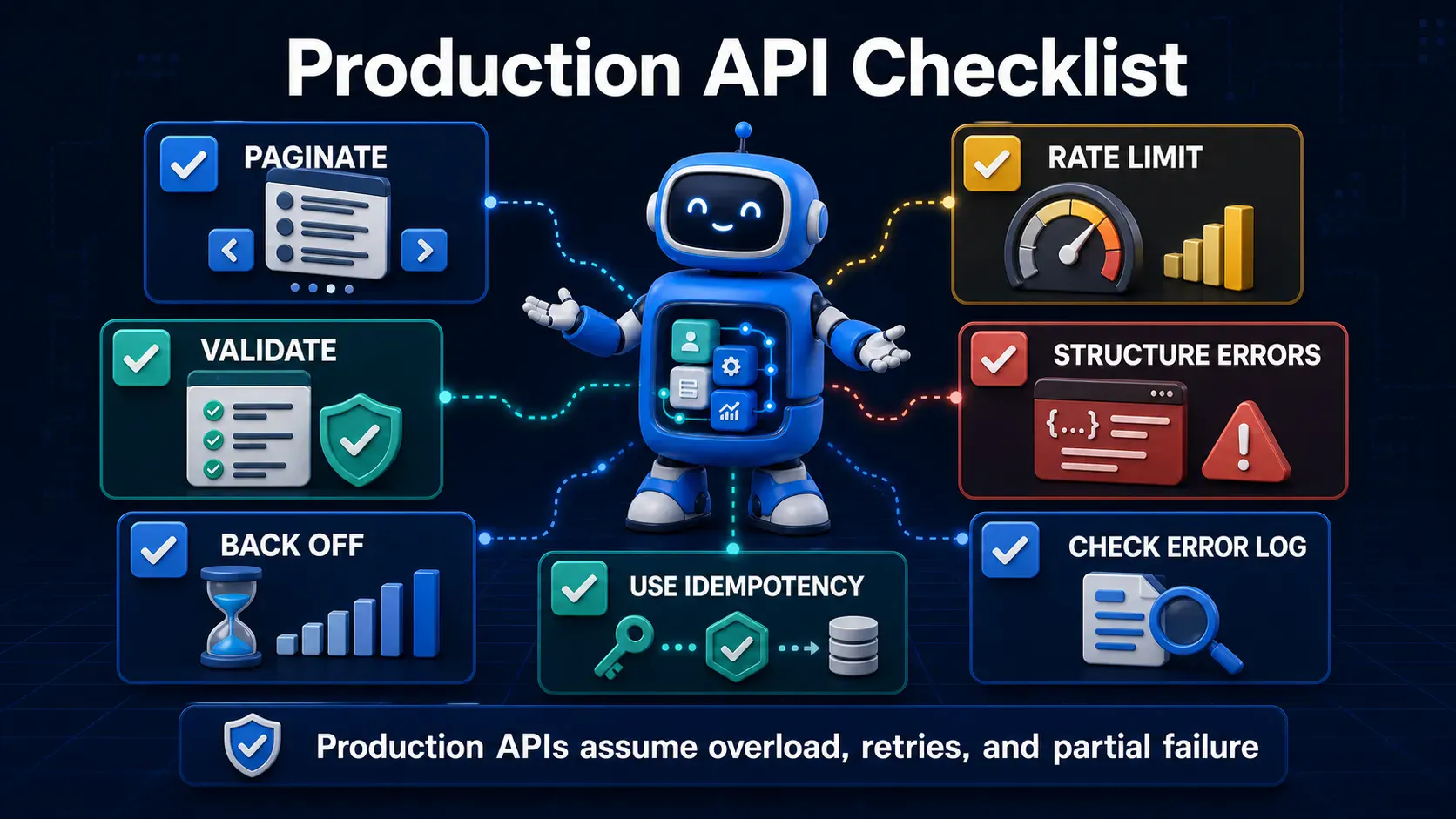
limit_start/limit_page_length, with a loop that walks pages until a short page is returnedfilters and fields are used together to avoid over-fetching on every list requestrate_limit is configured in site_config.json (and, ideally, mirrored at the reverse-proxy layer)429, respects Retry-After, and falls back to exponential backofffrappe.throw() with dedicated exception classes and explicit http_status_code valuesexc_type/_server_messages and distinguishes retryable (429, 5xx) from fail-fast (4xx) errorsfrappe.log_error() for structured, searchable failure logsNone of these practices are exotic — pagination, backoff, and structured errors are standard production-API hygiene in any framework, Frappe included. The catch is that Frappe's auto-generated endpoints work well enough in small-scale testing that it's easy to skip all of them until traffic or data volume forces the issue. Bake these in before that happens, not after an incident teaches you the hard way.

Stop fighting the built-in resource API for complex business logic. Here's how to expose your own Python functions as clean, secure REST endpoints in Frappe

Learn how to effortlessly install, manage, and switch between multiple PostgreSQL versions on Linux, macOS, and Windows. No virtual machines required

Learn how to automatically generate QR codes for event registration forms using Frappe Framework and Python. Step-by-step guide for developers.