Ollama vs LM Studio vs llama.cpp vs vLLM
Local AI tools can feel confusing because they overlap. This guide explains when to choose Ollama, LM Studio, llama.cpp, or vLLM depending on your goal.
Around 10-15 minutes.
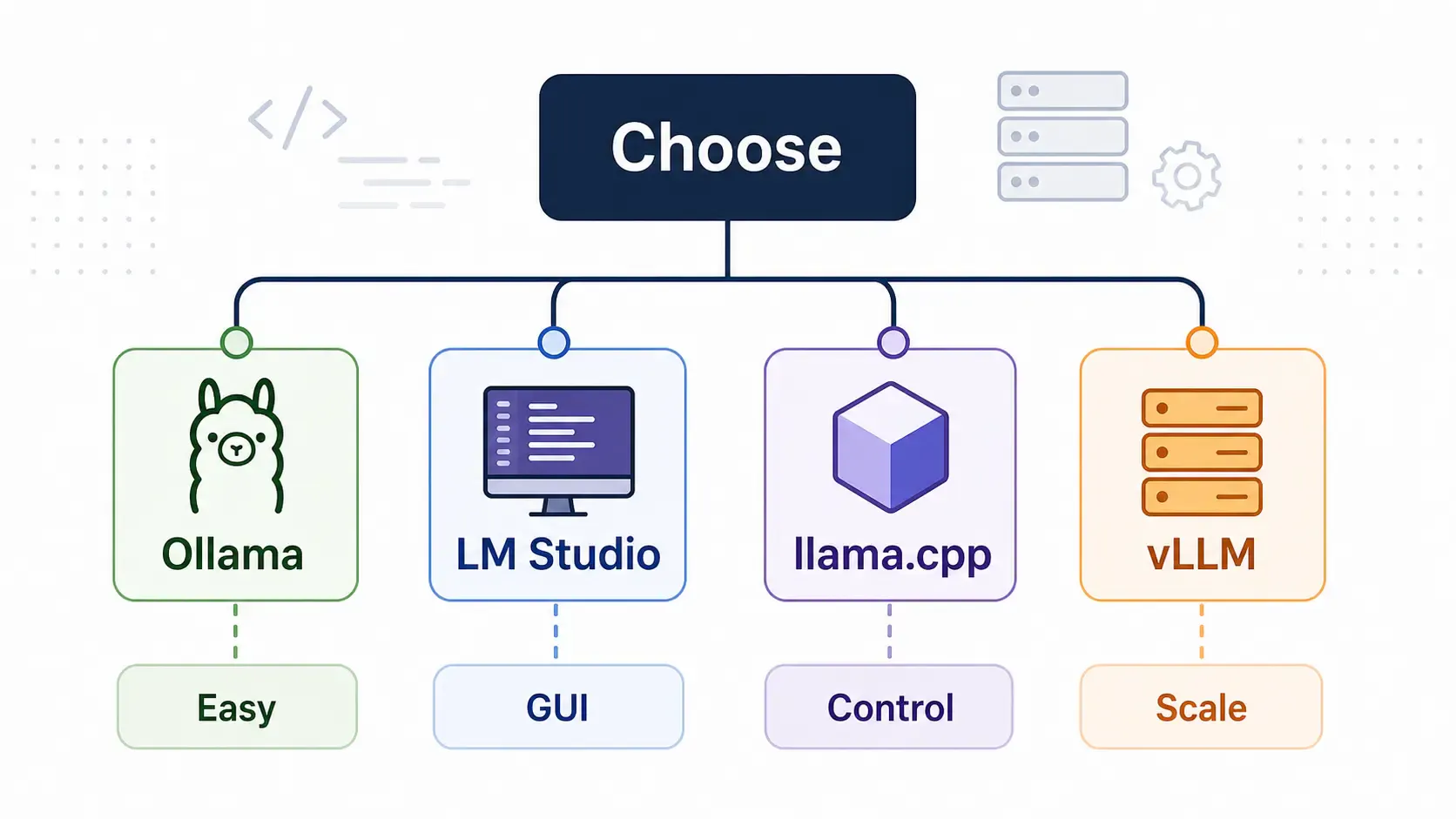
Use:
No single tool wins for everyone. The right choice depends on your use case.
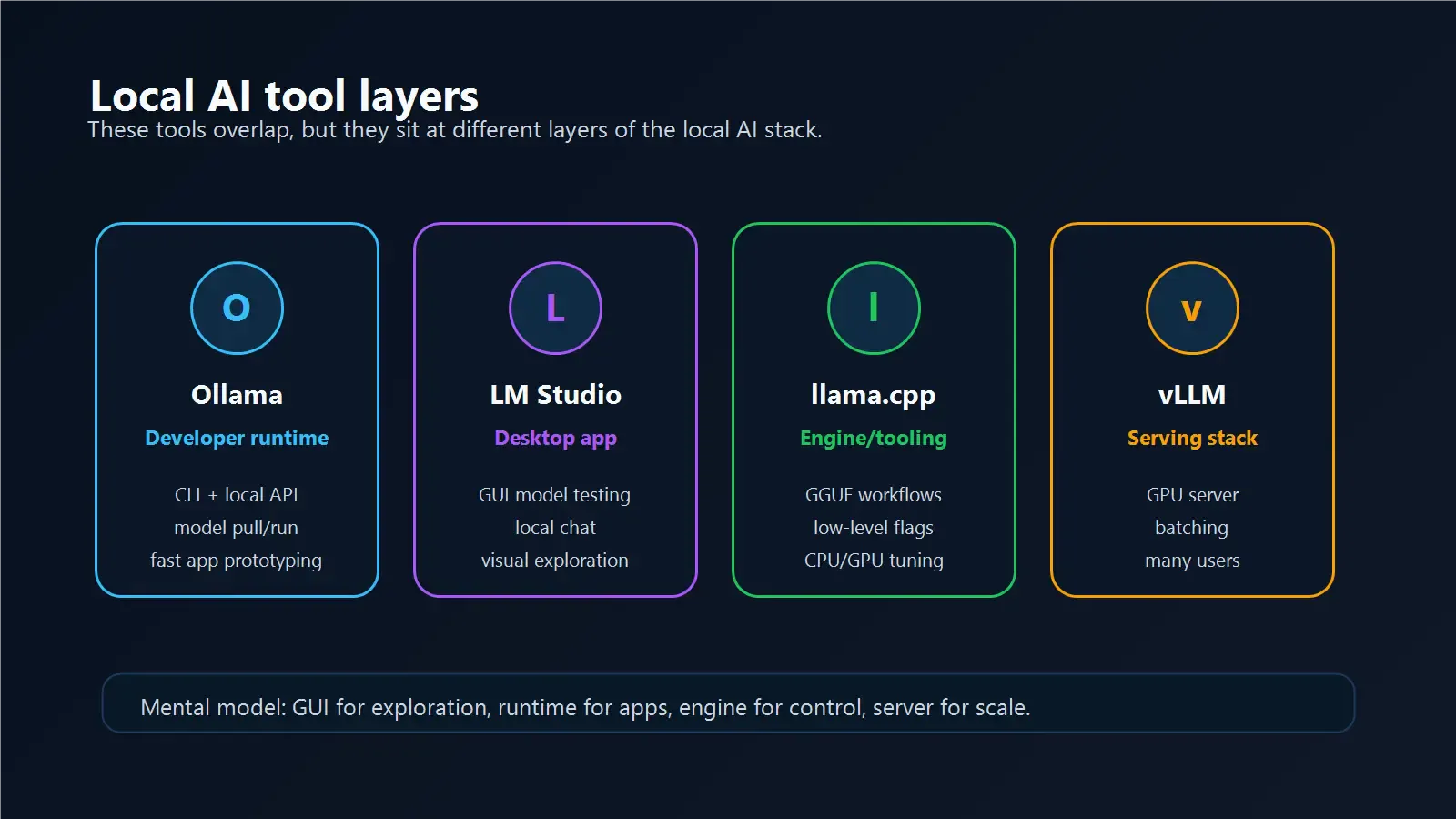
Ollama is the easiest local model runtime for many developers.
Best for:
Why developers like it:
localhost:11434Tradeoffs:
Choose Ollama when you want to build and test fast.
LM Studio is a desktop-first local AI app.
Best for:
Why people like it:
Tradeoffs:
Choose LM Studio when you want a friendly desktop experience.
llama.cpp is a lower-level inference engine and tooling ecosystem.
Best for:
Why it matters:
Tradeoffs:
Choose llama.cpp when you want control more than convenience.
vLLM is built for high-throughput inference serving.
Best for:
Why teams use it:
Tradeoffs:
Choose vLLM when local experimentation becomes real serving.
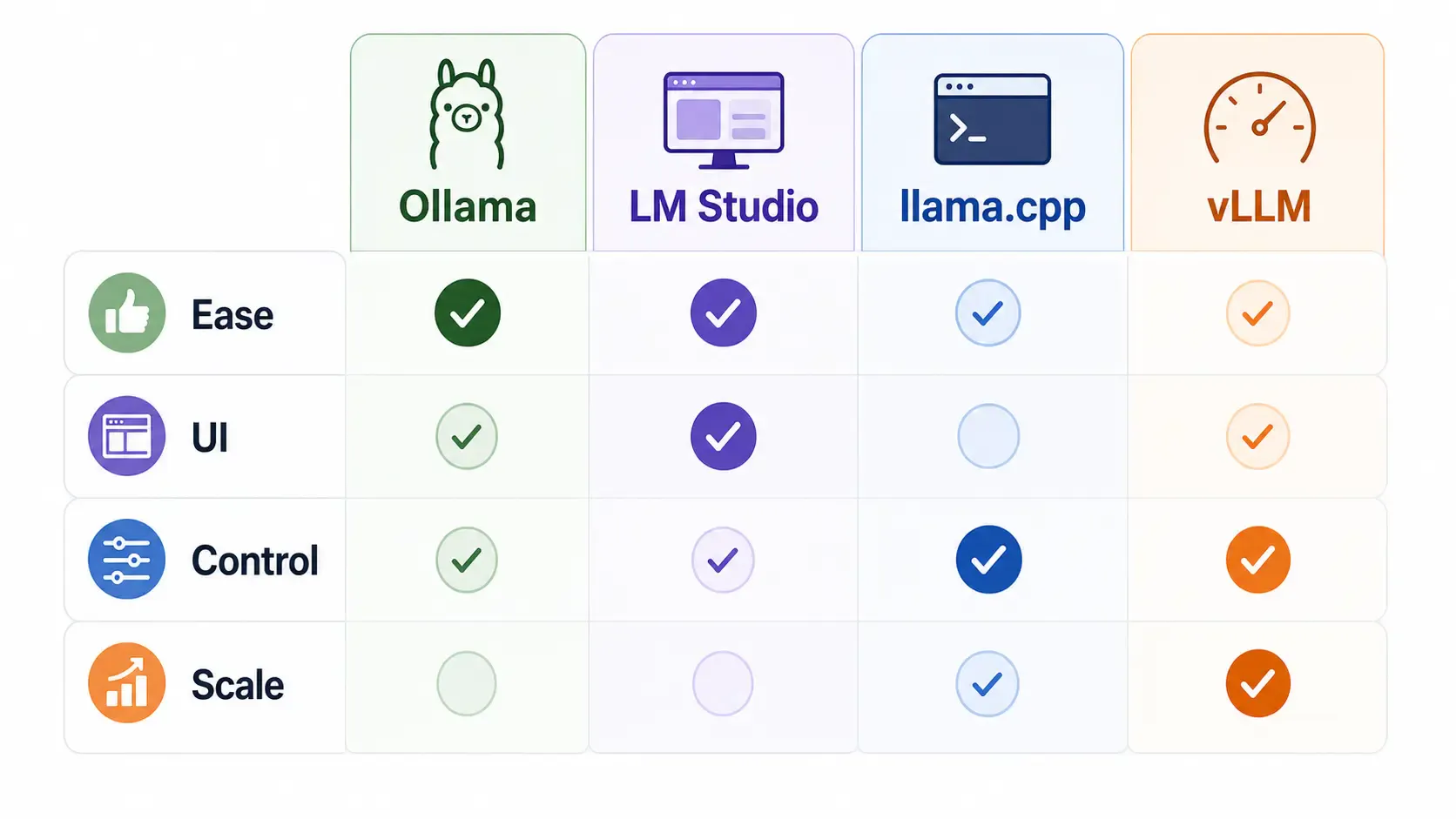
| Tool | Best for | Beginner friendly | Production fit | Main strength |
|---|---|---|---|---|
| Ollama | Developer local runtime | High | Medium | Simple CLI/API |
| LM Studio | Desktop model testing | High | Low-Medium | GUI experience |
| llama.cpp | Low-level control | Medium | Medium | Engine-level flexibility |
| vLLM | Server inference | Medium-Low | High | Throughput and scale |
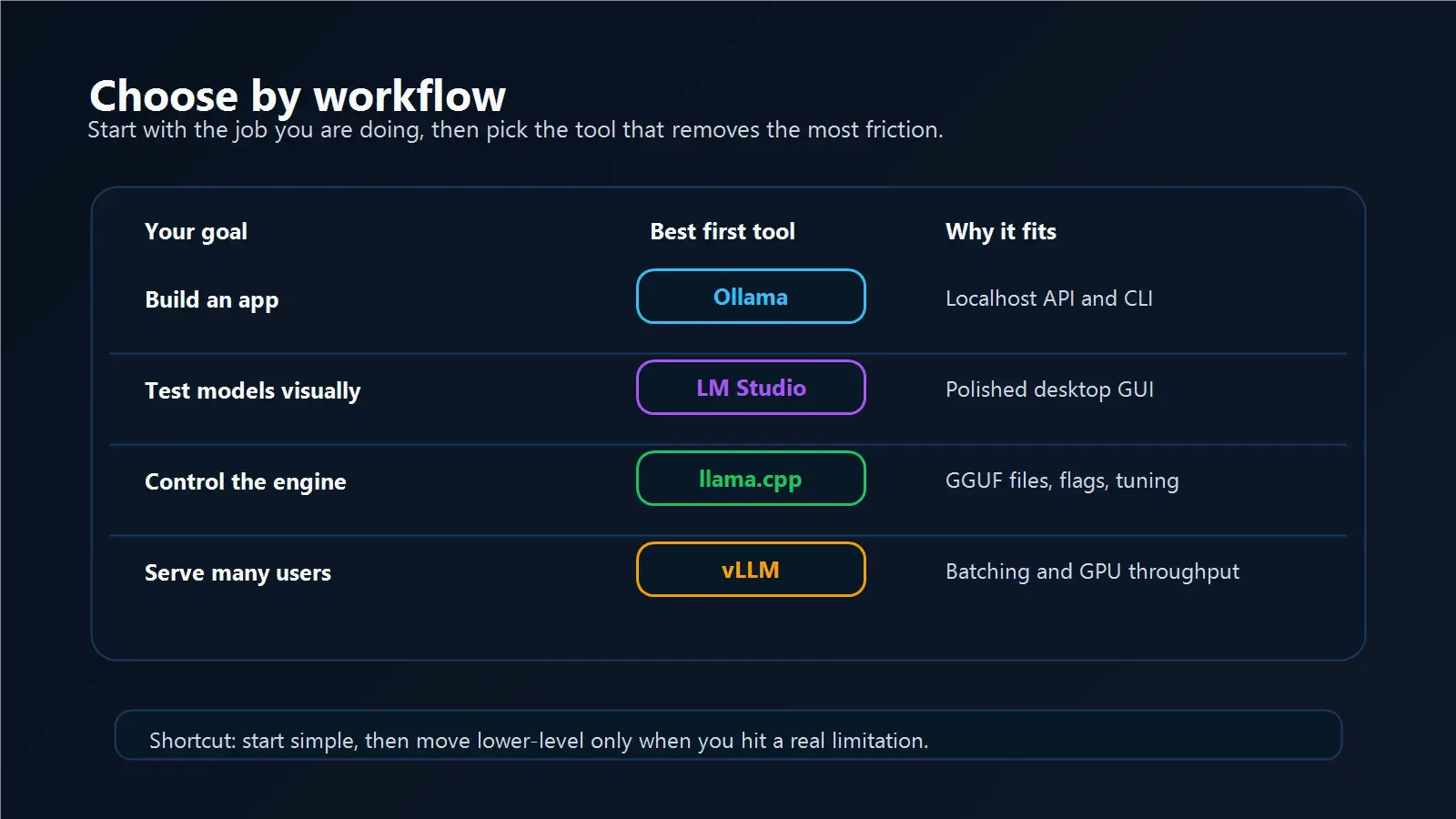
Start with Ollama or LM Studio.
Use Ollama if you are comfortable with terminal commands and want to build apps.
Use LM Studio if you want to click around and test models visually.
Start with Ollama.
It gives you a simple local API and enough structure to build prototypes quickly. Later, if you need production throughput, compare vLLM.
Look at llama.cpp.
It gives more control over model files, quantization workflows, and low-level behavior.
Look at vLLM.
Especially if you need batching, multiple clients, GPU utilization, or OpenAI-compatible serving in a more serious environment.
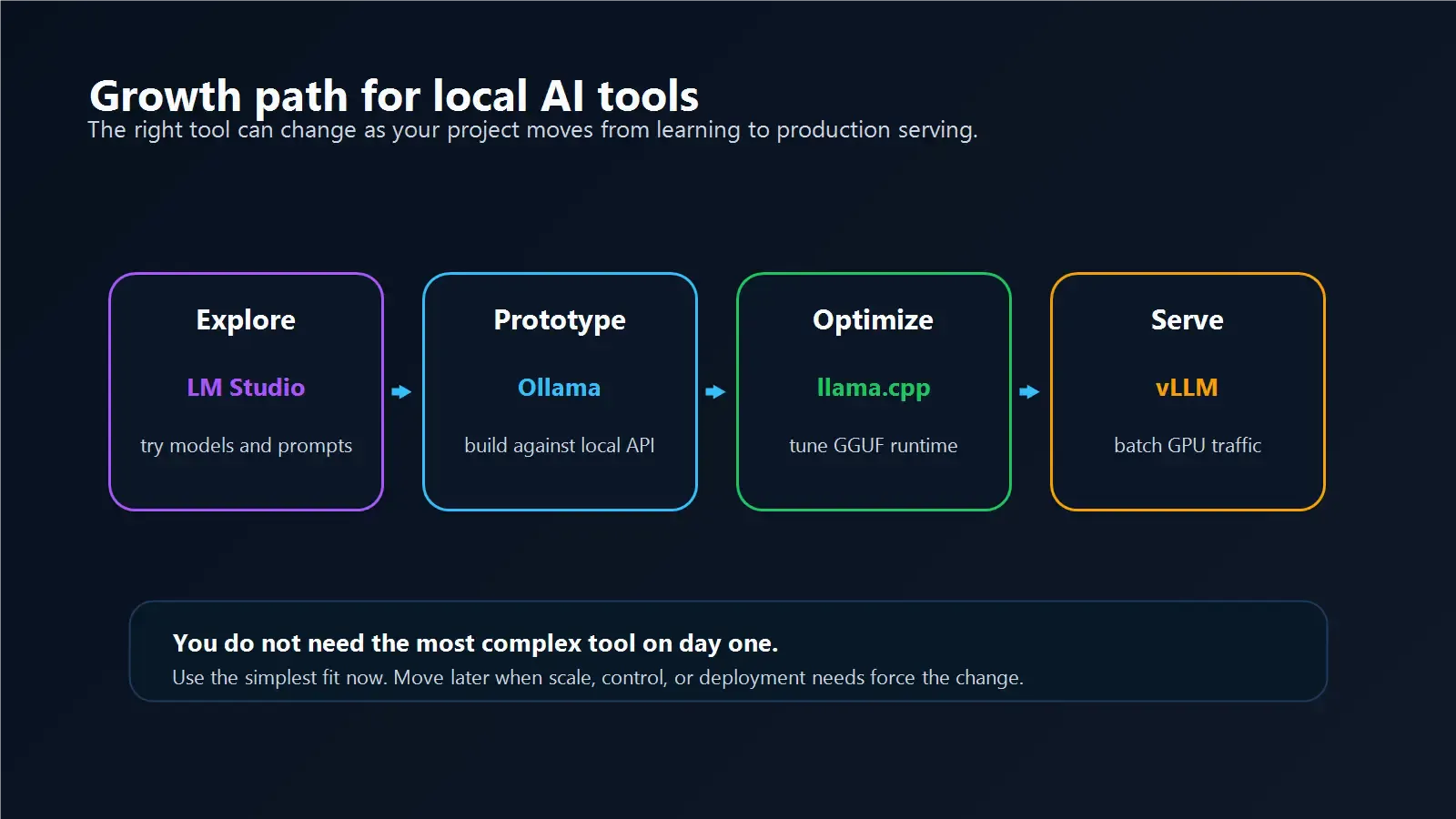
For most developers:
That path keeps learning simple while leaving room to grow.
A beginner-friendly guide to securing Ollama for LAN, remote, and team access without exposing your local AI server directly
Learn how RAM, VRAM, GPU, CPU, model size, and context length affect Ollama performance before buying local AI hardware.
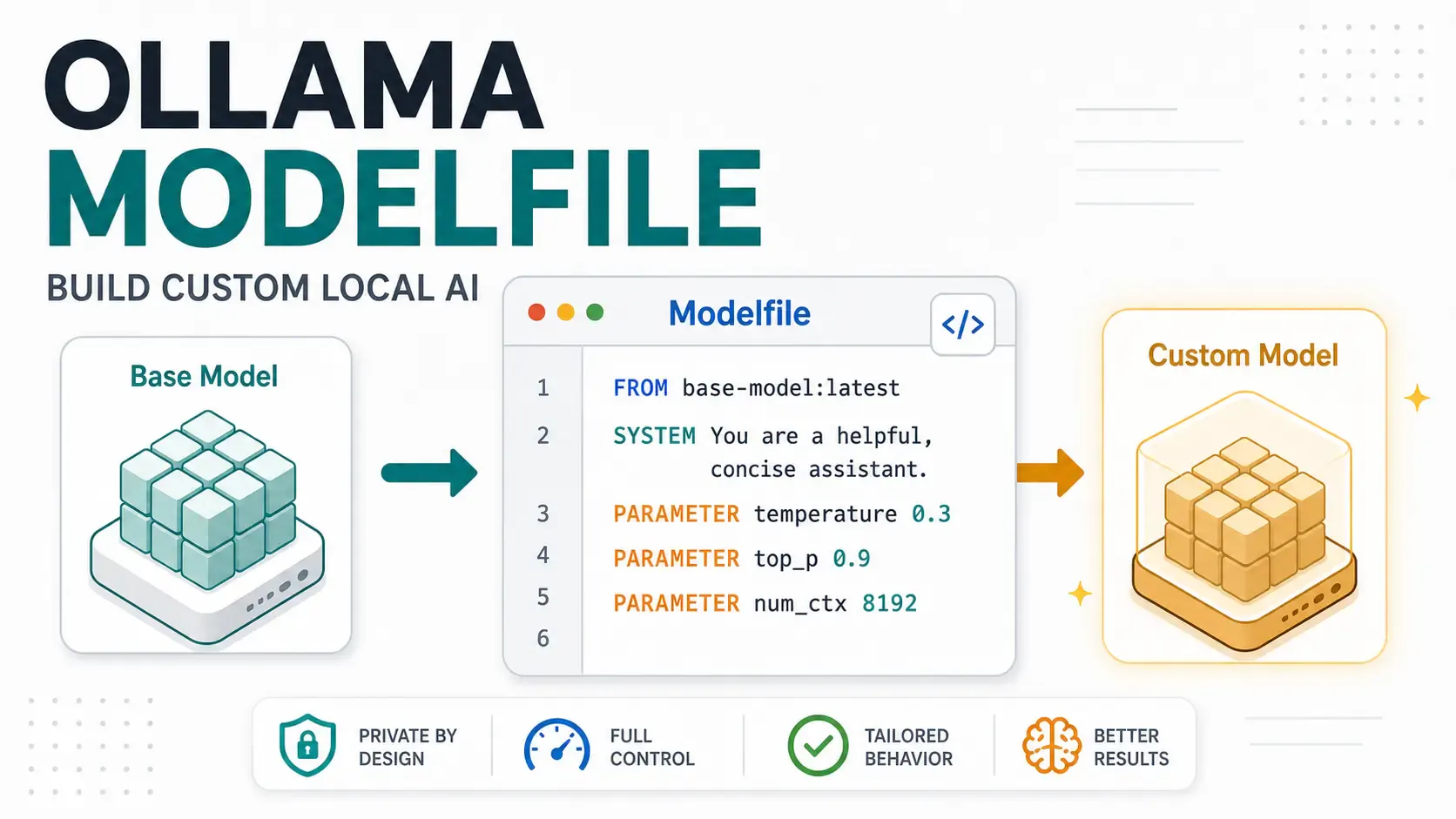
A hands-on Ollama Modelfile tutorial for developers building local AI assistants, support bots, code reviewers, and private app workflows.